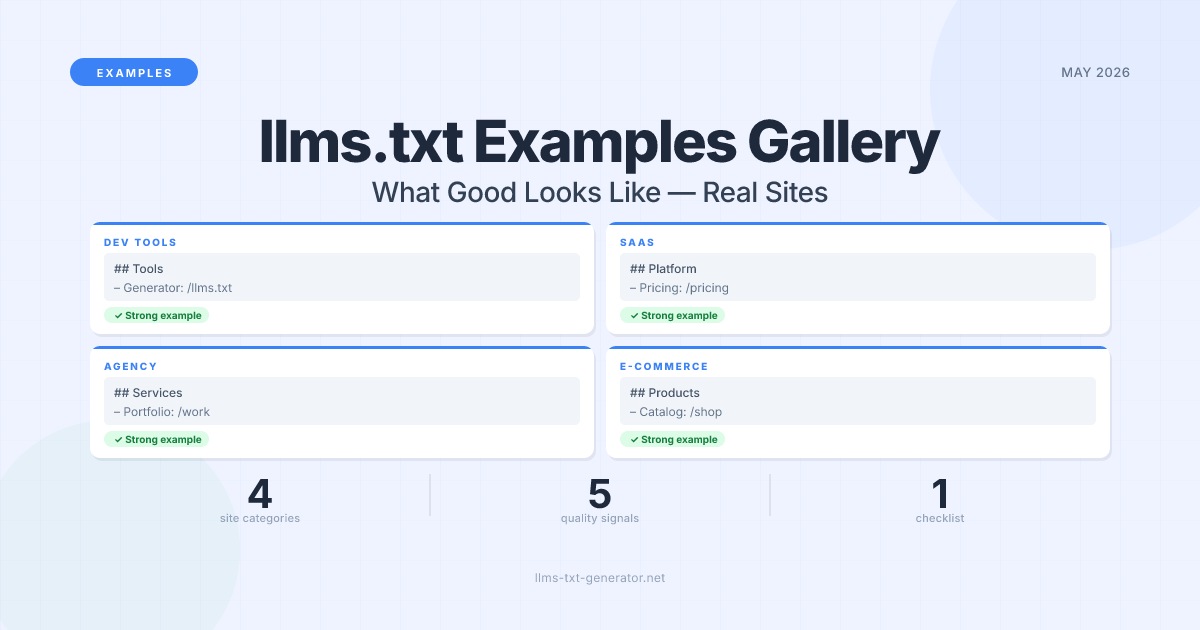
The llms.txt specification is less than two years old, but thousands of companies — from solo developers to enterprise SaaS products — have already adopted it. What separates the files that actually help AI models understand a site from the ones that get ignored? Real examples make the answer clearer than any format guide.
Most tutorials show you the syntax. This gallery shows you the patterns: annotated examples from real categories of sites, the five structural elements that appear in every strong file, and the common mistakes that make AI crawlers skip your content.
By the end of this post, you'll have a concrete mental model for what "good" looks like across four types of sites — and a checklist you can run against your own file before publishing.
The 5 Elements Every Strong llms.txt Shares
Before looking at individual examples, it helps to establish what distinguishes files that work from files that don't. After reviewing dozens of published llms.txt files from developer tools, SaaS products, and content sites, five patterns show up consistently in the strongest examples.
Element | What It Looks Like | Why It Matters |
|---|---|---|
1. Clear H1 Title |
| The first thing AI models read. Sets context for everything that follows. |
2. Blockquote Summary |
| The standard's core requirement. A crisp 1–2 sentence site description the LLM can quote directly. |
3. Organized H2 Sections |
| Groups pages by type so AI models can find what they need without scanning everything. |
4. Descriptive Link Annotations |
| The annotation after the colon is what AI reads when deciding whether to follow the link. Blank annotations waste the entry. |
5. Curated, Not Exhaustive | 20–50 entries covering core pages and top content | LLMs have context limits. A file with 500 entries is less useful than one with 40 well-chosen ones. |
All four examples below exhibit these five elements. What differs is how each site applies them given its content type and audience.
Example 1: Developer Tool (Anthropic-Style)
Developer tool companies were among the first to adopt llms.txt, and for good reason: their users are the same developers building AI applications that read these files. Anthropic, Vercel, and similar companies have published files that double as both a discovery aid and an implicit endorsement of the standard.
The pattern for developer tools:
Lead with a functional blockquote — not marketing copy, but a description a developer can act on immediately
Separate documentation from blog content — docs go first because developers want API references, not blog posts
Link to Markdown versions of docs where available — some developer tools serve their documentation as raw Markdown at
/docs/page.md, which is ideal for LLMsInclude a dedicated API Reference section — this is what differentiates a developer tool file from a generic site file
Example structure for a developer tool llms.txt:
# Acme API — Developer Platform

> Acme API provides a REST and GraphQL interface for building payment processing
> integrations. Supports webhooks, subscriptions, and multi-currency transactions.

## Getting Started
- [Quickstart Guide](/docs/quickstart): Get your first API call working in 5 minutes
- [Authentication](/docs/auth): API keys, OAuth 2.0, and token scopes explained
- [SDKs and Libraries](/docs/sdks): Official clients for Python, Node.js, Ruby, and Go

## API Reference
- [Payments API](/docs/api/payments): Create, capture, and refund payment intents
- [Subscriptions API](/docs/api/subscriptions): Recurring billing and plan management
- [Webhooks](/docs/api/webhooks): Event types, delivery guarantees, and retry logic

## Guides
- [Error Handling](/docs/guides/errors): Status codes, retry strategies, best practices
- [Testing](/docs/guides/testing): Test mode, sandbox environment, test card numbers

## Blog
- [Changelog](/blog/changelog): Recent API updates and deprecation notices
What makes this work: the blockquote is specific and functional, the sections mirror how a developer actually navigates the product, and every link annotation tells the LLM exactly what's on that page. 11 entries — nothing more is needed.
Example 2: SaaS Product (Supabase-Style)
Supabase is one of the most-searched llms.txt examples — developers specifically look for supabase.com/llms.txt as a reference when building their own. What makes this approach stand out is scale: the file organizes hundreds of documentation pages into a structure that remains navigable by AI crawlers without becoming overwhelming.
The pattern for SaaS products with large documentation sites:
Use feature-based H2 sections rather than content-type sections — "Authentication", "Database", "Storage" is more useful than "Docs", "Guides", "Reference"
Prioritize the most-searched topics first — for a database product, that's Auth and the JavaScript client; your equivalent is whatever users ask about most
Include a Changelog or Updates section — critical for SaaS products where API behaviour changes; AI models use this to give accurate answers about current features
Link to the most-current reference, not versioned archives — unless versioned docs matter to your users
Example structure for a SaaS product:
# Acme Database — Open Source Backend Platform

> Acme Database is an open source Firebase alternative providing a Postgres database,
> authentication, file storage, and edge functions. Free tier available.

## Authentication
- [Auth Overview](/docs/guides/auth): Email, OAuth, magic links, and SSO
- [Row Level Security](/docs/guides/auth/row-level-security): Postgres RLS policies explained
- [Auth Helpers for Next.js](/docs/guides/auth/auth-helpers/nextjs): Server and client setup

## Database
- [Database Overview](/docs/guides/database): Tables, views, functions, extensions
- [JavaScript Client](/docs/reference/javascript): Full JS SDK reference
- [REST API](/docs/reference/api): Auto-generated REST endpoints from your schema

## Storage
- [Storage Overview](/docs/guides/storage): File uploads, CDN, image transformations

## Self-Hosting
- [Docker Compose](/docs/guides/self-hosting/docker): Local development and production deploy

## Changelog
- [Latest Updates](/blog/changelog): API changes, new features, deprecation notices
Note the feature-based organization: an AI assistant asked "how do I add auth to a Next.js app with Acme Database?" can immediately navigate to the right section rather than scanning a flat list of 200+ links.
Example 3: Agency or Service Business
Service businesses — agencies, consultancies, freelancers — have a different challenge than developer tools. Their "documentation" is their portfolio and case studies. Their key conversion pages are Contact, Services, and Pricing. A well-structured llms.txt for a service business acts as a clear sales brief for any AI that encounters it.
The pattern for service businesses:
The blockquote should name your specialty and location (if local) — "A UX design agency in Berlin specialising in SaaS product design" is immediately useful for AI referrals
Services deserve individual entries with brief descriptions — not a single "Services" link, but one entry per service with a one-line description of scope
Case studies are your evidence — include outcome metrics — your 3–5 strongest examples, each with a one-line result summary
Keep it short — a service business file rarely needs more than 15–20 entries
Example structure for an agency:
# Meridian Design — UX and Brand Agency

> Meridian Design is a UX and brand strategy agency working with B2B SaaS companies.
> We redesign conversion-critical flows: onboarding, checkout, and dashboards.

## Services
- [UX Audit](/services/ux-audit): Identify friction in existing user flows — 2-week engagement
- [Product Redesign](/services/product-redesign): End-to-end redesign of a core product flow
- [Brand Identity](/services/brand-identity): Visual identity systems for seed-to-Series A companies

## Work
- [Fintech Onboarding Case Study](/work/fintech-onboarding): Reduced drop-off by 34%
- [SaaS Dashboard Redesign](/work/saas-dashboard): Increased feature adoption by 2.1x
- [E-Commerce Checkout](/work/checkout): Cut checkout abandonment from 71% to 44%

## About
- [About](/about): Team, process, and values
- [How We Work](/about/process): Engagement structure and typical timeline

## Contact
- [Get in Touch](/contact): Start a project or request a proposal
The outcome metrics in case study annotations — "Reduced drop-off by 34%", "increased feature adoption by 2.1x" — are the highest-value element in a service business file. When a prospective client asks Claude or Perplexity to recommend a UX agency that has worked with SaaS companies, specificity like this is what gets cited.
Example 4: E-Commerce Site
E-commerce llms.txt files have a unique challenge: a typical store might have thousands of product pages, but only a handful of them should appear in an AI-readable summary. The goal is not to list inventory — it's to give AI models a clear understanding of what you sell, your brand positioning, and where to send someone who asks about your category.
The pattern for e-commerce sites:
Describe your niche specifically in the blockquote — "premium wallets made from recycled ocean plastic" is more useful than "sustainable accessories"
Link to category pages, not individual product pages — link to
/collections/wallets, not to 200 individual SKUsInclude a Policies section — Shipping, Returns, and FAQ pages are what AI assistants are most often asked about for e-commerce stores
Highlight what makes you different — your About page and any press coverage belong in the file
Example structure for an e-commerce site:
# Tideline — Ocean-Recycled Accessories

> Tideline makes wallets, cardholders, and bags from certified recycled ocean plastic.
> Free shipping on orders over $75. Ships worldwide.

## Collections
- [Wallets](/collections/wallets): Slim, bifold, and travel wallets — 15 styles from $45
- [Cardholders](/collections/cardholders): Minimalist cardholders, 6-card to 12-card capacity
- [Bags](/collections/bags): Tote bags and backpacks for everyday carry

## Policies
- [Shipping](/pages/shipping): Processing times, carriers, and international rates
- [Returns](/pages/returns): 60-day returns, free exchanges
- [Sustainability](/pages/sustainability): Material sourcing, certifications, and impact data

## About
- [Our Story](/pages/about): Why we started Tideline and who we are
- [Press](/pages/press): Features in Outside Magazine, The Guardian, and Wirecutter
The Policies section matters more than most e-commerce brands realize. A significant portion of AI assistant queries for online stores are questions like "what is their return policy?" or "do they ship internationally?" — questions that are fully answerable from the Policies section without the AI ever having to crawl the site.
What Bad Looks Like: 5 Common Mistakes
Seeing strong examples is useful. Seeing the common mistakes is equally useful — especially because several of them are easy to make when generating a file quickly.
Mistake | What It Looks Like | Why It Fails |
|---|---|---|
Missing blockquote | File starts immediately with a list of links | The blockquote summary is the most-parsed element. Without it, AI models have no site context to work from. |
Unannotated links |
| AI models use the annotation to decide relevance. A link with no annotation is treated as low-signal. |
Listing every URL | 500+ entries including tag pages, author archives, paginated URLs | LLMs have context windows. Padding the file with low-quality entries dilutes the signal from key pages. |
Vague blockquote | "We help businesses succeed with innovative solutions." | Says nothing actionable. AI models can't accurately cite a vague description. Be specific: product, audience, differentiator. |
Stale content | File last updated 18 months ago; links 404; product names have changed | AI crawlers follow links and hit dead ends. The file becomes a negative signal rather than a helpful one. |
The most common mistake is the vague blockquote. It's usually the result of copying marketing copy — language that sounds impressive in a press release but gives an AI model nothing to work with. Write the blockquote as if you're explaining your site to someone who has never heard of your company, in one sentence.
Three Patterns Across All Strong Examples
Looking across all four examples, three patterns appear regardless of site type:
Specificity beats length. Every strong file is shorter than you'd expect. The agency example has 12 entries. The developer tool example has 11. None of the four examples would exceed 50 entries in practice. The specificity of each entry matters more than coverage breadth.
Annotations are the real content. The link text and URL matter less than the colon-annotation that follows. AI models use those annotations to navigate before ever following a link. Write them carefully — they're not metadata, they're the core signal the crawler acts on.
Sections mirror user intent, not site architecture. The strongest files don't organize by content type (Blog, Pages, Products). They organize by what a visitor is trying to do: "Authentication", "Case Studies", "Policies". The difference is subtle but meaningful for AI navigation.
Create Your Own — The 15-Minute Path
The fastest path to a well-structured file: generate your free llms.txt file using your site URL, then use the examples above to audit the output before publishing. The generator creates the structure; the examples tell you whether the structure is serving your site type correctly.
Run through this checklist after generating:
Blockquote: Does it name your product, audience, and key differentiator in one sentence? Replace any vague marketing copy immediately.
Section structure: Does it match your site type — feature-based sections for SaaS, service-based sections for agencies, category-based for e-commerce?
Annotations: Does every link have a colon-description that tells an AI exactly what's on that page?
Entry count: Are you under 50 entries? If not, audit for tag pages, archive URLs, and near-duplicate entries.
Freshness: Do all links resolve? Set a reminder to re-verify every 3 months.
For more on format rules and best practices, see our guide to 10 rules for maximum AI discoverability. For step-by-step platform tutorials, see the guides for Next.js, WordPress, and Shopify.
Conclusion
The difference between a good llms.txt and a mediocre one isn't complexity — it's specificity. A strong file has a blockquote that names exactly what you do, sections that mirror how users think about your site, and link annotations that give AI models enough context to navigate without crawling every page.
Use the four examples above as reference points for your site type, run your draft through the 5-element checklist, and generate your base file in 60 seconds. The whole process takes under 15 minutes for most sites — and the result is a file that actually helps AI models understand and represent your content accurately.
Frequently Asked Questions
What sites have published good llms.txt examples I can reference?
Developer tool companies have been early adopters. You can check /llms.txt on sites like Anthropic, Vercel, Supabase, Linear, and similar developer-focused products. Supabase's llms.txt is frequently cited as a reference because of how it organizes a large documentation site into navigable feature-based sections. View any site's file by appending /llms.txt to the domain in your browser.
How long should an llms.txt file be?
The practical sweet spot is 20–50 entries organized into 3–6 sections. Most strong files clock in under 100 lines of plain text. Files with 200+ entries tend to include low-value URLs (tag pages, archives, paginated content) that dilute the signal from key pages. If your file is growing past 50 entries, audit for entries that could be removed or consolidated.
Do I need to include every page on my site?
No — and you shouldn't. The goal of llms.txt is a curated map, not an exhaustive index. That's what sitemap.xml is for. Focus on your most important pages: core service or product pages, your top 10–20 content pieces, key policy pages, and contact information. Everything else can be discovered through normal crawling if the AI needs it.
How specific should the blockquote description be?
Specific enough that someone who has never heard of your company could describe what you do after reading it. Include: what the product or service is, who it's for, and one key differentiator. "Tideline makes wallets and bags from certified recycled ocean plastic — free shipping on orders over $75" packs three useful facts into one sentence. "We help businesses succeed with innovative solutions" packs zero.
Should I use feature-based or content-type-based sections?
For SaaS products and developer tools, feature-based sections (Authentication, Database, Storage) are more useful than content-type sections (Docs, Blog, Reference). For service businesses and e-commerce, organizing by user intent (Services, Work, Policies) works best. The rule: organize sections the way a first-time visitor would think about navigating your site, not the way your CMS categorizes content.
How often should I update my llms.txt file?
A reasonable schedule is quarterly, or whenever you make significant changes to your core pages — a new product launch, a pricing change, a major new content section. Stale files with broken links are worse than no file at all because AI crawlers follow dead links and encounter 404 errors. Set a recurring calendar reminder to validate all links every 90 days.
Do the link annotations actually matter, or is the URL enough?
The annotations matter significantly. AI models use the colon-annotation to decide whether to follow a link or skip it. A bare link (- [Pricing](/pricing)) provides less signal than an annotated one (- [Pricing](/pricing): Current plans, team pricing, and enterprise options). The annotation is effectively a one-sentence summary of the destination page — write it as if you're helping someone decide whether to click.
What's the difference between llms.txt and llms-full.txt?
The core llms.txt file is a curated index — short links with annotations, typically under 100 lines. The optional llms-full.txt is meant to contain the full text of your most important pages in a single document, so AI models can read your content without crawling individual URLs. Most sites don't need llms-full.txt unless they have dense technical documentation that benefits from being pre-compiled. The index file alone is sufficient for most use cases.
Can I include the same link in two different sections?
Technically yes, but it's generally not useful. If a page genuinely belongs in two sections, link to it once in the most relevant section. Duplicating entries wastes limited context window space and signals to AI models that the file wasn't carefully curated — which reduces the overall quality signal the file sends.
Will a well-structured llms.txt get my site cited more by AI tools?
A well-structured llms.txt makes it easier for AI models to understand and accurately represent your site — but citations depend on many factors including content quality, freshness, and whether AI crawlers have indexed your site at all. Think of llms.txt as a clarity signal, not a ranking signal. It can't make poor content perform better, but it ensures good content is findable and accurately described. For more on the evidence, see does llms.txt actually work?
How do I know if my llms.txt is being read by AI crawlers?
Three ways to verify: (1) check your server access logs for user-agents like GPTBot, ClaudeBot, and PerplexityBot requesting the /llms.txt path, (2) ask an AI assistant directly to visit and summarize your llms.txt URL, or (3) use an HTTP status checker to confirm the file returns 200 OK with Content-Type: text/plain. For a full walkthrough, see our guide on how to verify your llms.txt is being crawled by AI.
Is there a standard for how to name sections in an llms.txt file?
No official standard exists for section names — the spec only requires an H1 title, blockquote summary, and H2 sections with links. The naming conventions in the examples above (Getting Started, API Reference, Collections, Policies) are patterns that have emerged from real-world adoption. The principle: section names should be self-explanatory to both humans and AI models reading the raw Markdown file.