Most llms.txt guides assume you're deploying a static site generator or a CMS. Remix doesn't fit either category — it's a full‑stack React framework that can serve static assets, run server loaders, and deploy to Cloudflare Workers, Vercel, or a plain Node.js server. That's useful, but it leaves Remix developers with a question most guides skip: where exactly does llms.txt go?
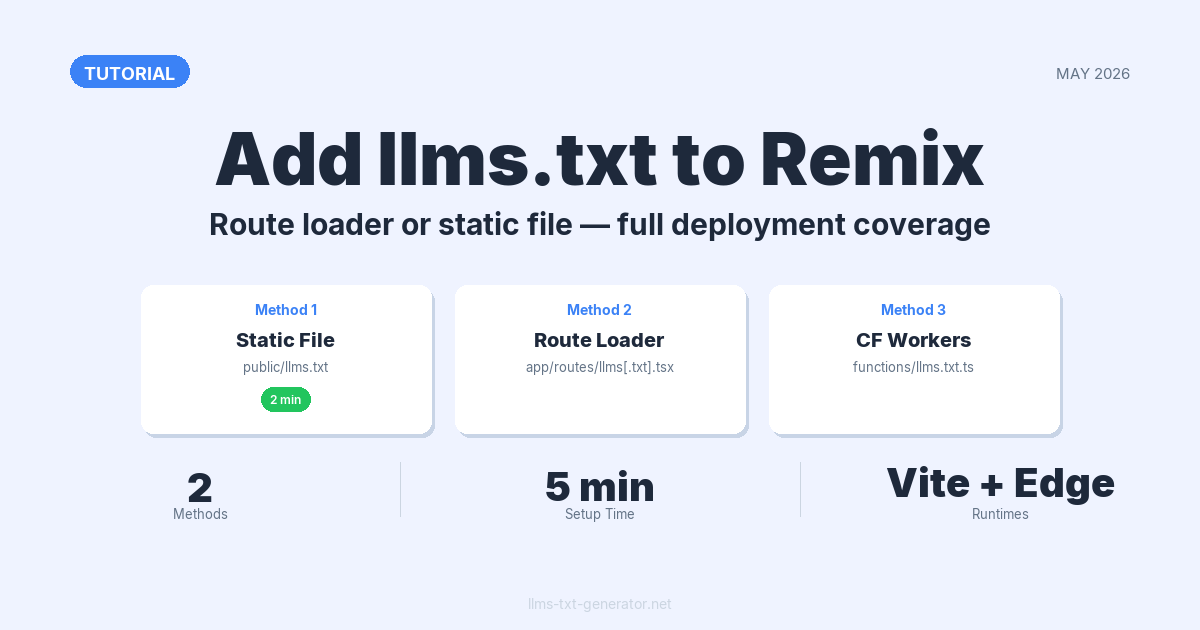
This guide covers the two valid approaches: serving llms.txt as a static file from the public/ directory, and returning it dynamically from a route loader. Both work. Which one to use depends on whether your file content is fixed or changes as your site grows.
By the end, your Remix site will respond to GET /llms.txt with a valid, AI‑readable file — whether you're on Vercel, Cloudflare Workers, or a self‑hosted Node.js server.
Why Your Remix Site Needs an llms.txt File
The llms.txt standard gives AI systems a structured, plain‑text summary of your site. When a crawler like Claude, ChatGPT, or Perplexity visits your domain, it reads /llms.txt for a curated overview — what the site covers, where the important pages are, and what context to carry when answering questions about it.
AI‑powered answers now appear in search results across Google, Bing, Perplexity, and Claude. Without an llms.txt file, these systems infer your site structure from raw HTML — which produces inconsistent results. A clean, well‑structured llms.txt is the clearest signal you can give them.
For Remix specifically, the route loader approach has an edge that static sites lack: you can build the file from your actual data layer. New blog posts, updated docs, and product page changes surface in your llms.txt the moment they go live — no manual updates, no extra deploys.
Method 1: Static File in the public/ Directory
The fastest path to a working llms.txt is placing a static file in your public/ directory. Remix serves everything in public/ at the root URL path on every deployment target — Node.js, Cloudflare, Vercel, and Deno all handle it the same way.
Steps
- Write your
llms.txtcontent. If you haven't drafted one yet, use the free llms.txt generator to create a valid file in about two minutes. - Save the file as
public/llms.txtin your project root — not inside any subdirectory. - Deploy. The file is immediately available at
https://yourdomain.com/llms.txt.
No code changes, no configuration. This approach is the right call for most Remix sites where the content won't change more than once a month.
Verify It Works
Start your dev server and open http://localhost:5173/llms.txt in a browser. You should see plain text with no HTML wrapper. If you get a 404, check two things: the filename is exactly llms.txt (lowercase, no variants), and it lives directly inside public/ rather than a subdirectory.
Method 2: Dynamic Route Loader
If your site's content changes regularly — new blog posts, updated docs, rotating product pages — a route loader is the better long‑term choice. You build the file programmatically on each request, so it always reflects current state without any manual maintenance.
Creating the Route File
Remix v2 treats dots in filenames as nested path separators. Writing llms.txt.tsx without any special handling creates a route at /llms/txt — not /llms.txt. To get a literal dot in the URL path, wrap it in square brackets:
app/routes/llms[.]txt.tsxThis maps exactly to /llms.txt. The bracket notation is specific to Remix v2's file‑based routing — skip it and the route won't resolve correctly.
Basic Loader
Export a loader function that returns a Response with Content-Type: text/plain. No default export needed — a route file with only a loader sends the response directly to the client, with no UI rendered:
// app/routes/llms[.]txt.tsx
import type { LoaderFunctionArgs } from "@remix-run/node";

export async function loader({ request }: LoaderFunctionArgs) {
  const content = `# My Site

> A plain-language summary of what this site covers and who it's for.

## Documentation
- [Getting Started](https://example.com/docs/start): Setup and first steps.
- [API Reference](https://example.com/docs/api): Full API documentation.

## Blog
- [Latest Posts](https://example.com/blog): Recent articles and updates.
`;

  return new Response(content, {
    status: 200,
    headers: {
      "Content-Type": "text/plain; charset=utf-8",
      "Cache-Control": "public, max-age=3600",
    },
  });
}
Three details that matter here:
- Cache‑Control header. Without it, every request to
/llms.txtexecutes a fresh loader.max-age=3600lets CDNs cache the response for an hour — important on higher‑traffic sites. - The charset declaration. Some AI crawlers are strict about encoding.
; charset=utf-8removes ambiguity. - No default export. Remix route files with only a loader return the loader response directly. Nothing renders as UI for this route.
Pulling Content From Your Database
Connect the loader to your data layer and the file stays current automatically:
// app/routes/llms[.]txt.tsx
import type { LoaderFunctionArgs } from "@remix-run/node";
import { db } from "~/db.server";

export async function loader({ request }: LoaderFunctionArgs) {
  const posts = await db.post.findMany({
    select: { title: true, slug: true, excerpt: true },
    where: { published: true },
    orderBy: { publishedAt: "desc" },
    take: 20,
  });

  const postLines = posts
    .map(p => `- [${p.title}](https://example.com/blog/${p.slug}): ${p.excerpt}`)
    .join("\n");

  const content = `# Example Site

> Documentation and blog for [Product Name].

## Blog
${postLines}
`;

  return new Response(content, {
    status: 200,
    headers: {
      "Content-Type": "text/plain; charset=utf-8",
      "Cache-Control": "public, max-age=3600",
    },
  });
}
Every new published post appears in your llms.txt automatically. The next time an AI crawler visits after a publish, it finds the updated list — no deployment needed.
Method Comparison
| Method | Best for | Pros | Cons | Adapter support |
|---|---|---|---|---|
Static file (public/llms.txt) |
Infrequently‑changing content | Zero code, works on all targets | Requires redeploy to update content | All adapters |
Route loader (llms[.]txt.tsx) |
Blogs, docs, dynamic content | Always current; database‑driven | Adds a server request; slightly more setup | All adapters with server support |
If your llms.txt content won't change more than once a month, go with the static file. Use the route loader when your content updates regularly and you want the file to track those changes on its own.
Adding llms-full.txt (Optional)
The llms.txt spec supports an optional companion file: llms-full.txt. It contains the same structured index as llms.txt plus the full body text of each linked document — useful when you want AI systems to have deep context without following individual page links.
In Remix, create a second route at app/routes/llms-full[.]txt.tsx using the same loader pattern. For most sites, llms.txt alone is plenty. If you're unsure which variant makes sense, the guide on llms.txt vs llms‑full.txt covers the practical trade‑offs.
Deployment Notes by Adapter
Both methods work across Remix's supported deployment targets. A few adapter‑specific details worth knowing before you ship:
- Node.js (
@remix-run/node): Both approaches work out of the box. Static files inpublic/are handled by the Express layer before Remix processes the request. - Cloudflare Workers (
@remix-run/cloudflare): Static files are uploaded as Workers Assets. Route loaders run at the edge — the loader approach is ideal here for freshness. Swap@remix-run/nodefor@remix-run/cloudflarein your import; theResponsecode is identical. - Vercel (
@remix-run/vercel): Both work. Static files are served from Vercel's CDN edge. Route loaders run as Vercel Functions. - Deno Deploy: Use the route loader. Static file serving from
public/needs additional adapter configuration depending on your Deno setup.
Testing Your llms.txt File
After deploying, run a quick check before calling it done:
- In a terminal, run:
curl -I https://yourdomain.com/llms.txt - Confirm the status is
200andContent-Typeistext/plain. - Open the URL in a browser — the raw text should display with no HTML wrapping.
- Paste the URL into the llms.txt generator's validator to check the file structure against the standard.
A valid llms.txt starts with a level‑1 heading (# Site Name), followed by a blockquote description, then sections of bullet‑point links with short descriptions. If those structural elements are missing or malformed, AI crawlers won't parse the file correctly.
Conclusion
Adding llms.txt to a Remix site takes under 10 minutes with either method. The static file in public/ is the fastest path for most projects. The route loader is the better choice when your content changes regularly and you'd rather not touch the file manually.
Start with the free generator: build your llms.txt file now, save it to public/llms.txt, and deploy. If your content grows beyond what a static file can track, the route loader template above is ready to drop in.
Frequently Asked Questions
Does Remix automatically serve files from the public/ directory at the root path?
Yes. Every file in public/ is served at the root URL path on all standard Remix deployment targets. A file saved as public/llms.txt is accessible at /llms.txt with no additional configuration — consistent across Node.js, Cloudflare Workers, and Vercel adapters.
Why do I need square brackets in the route filename for llms.txt?
Remix v2 treats dots in filenames as nested route separators. Without brackets, llms.txt.tsx resolves to /llms/txt rather than /llms.txt. The brackets in llms[.]txt.tsx tell Remix to treat that dot as a literal character in the URL path.
Does the route loader approach work on Cloudflare Workers?
Yes. The only change is the import: use @remix-run/cloudflare instead of @remix-run/node. The Response object and all other loader code is identical — Cloudflare Workers support the standard web Response API natively.
Should I add a Cache-Control header to the llms.txt route?
Yes, for the route loader approach. Without a cache header, every request to /llms.txt runs your loader and hits your data source. Cache-Control: public, max-age=3600 lets CDNs cache the response for an hour. For sites where the file changes infrequently, max-age=86400 (24 hours) cuts server load further.
Can I generate llms.txt content from a database in Remix?
Yes — that's the main reason to use the route loader approach. Your loader can query any server‑side data source: a relational database, a headless CMS, the filesystem, or a third‑party API. The file is built at request time (or served from CDN cache), so it tracks your current published content automatically.
What's the difference between llms.txt and llms-full.txt?
llms.txt is a structured index with links and short descriptions. llms-full.txt is a companion file that includes the full body text of each linked document, allowing AI systems to read everything in one pass. For most Remix sites, llms.txt alone is sufficient — add the full version only when you have substantial documentation that benefits from inline inclusion.
Can I use both the static file and the route loader at the same time?
No. Remix's static file handling takes precedence over route loaders for the same path. If public/llms.txt exists alongside a llms[.]txt.tsx route, the static file always wins — the loader never runs. Pick one and remove the other.
Does llms.txt affect Google search rankings?
No. Googlebot doesn't read llms.txt — it's not part of the robots.txt or sitemap standards Google uses for crawling. The file is read only by AI systems and LLM‑powered search tools like Claude, Perplexity, and ChatGPT. It has no effect on Google rankings, positive or negative.
How do I know if AI crawlers are reading my llms.txt file?
Check your server access logs for requests to /llms.txt from known AI user agents: ClaudeBot, GPTBot, PerplexityBot, and anthropic-ai. Most hosting dashboards surface these in raw logs or analytics exports. For a more complete walkthrough, see the guide on how to verify your llms.txt is being crawled by AI.
Does the file need to be served over HTTPS?
In practice, yes. All major AI crawlers — including ClaudeBot, GPTBot, and PerplexityBot — access sites exclusively over HTTPS. A file served only over HTTP won't be fetched. On standard Remix hosting stacks like Vercel, Cloudflare, or Fly.io, HTTPS is set up automatically — nothing extra needed.