Your documentation site has hundreds of pages. API references, quickstart guides, migration docs, changelogs, SDK references. When an AI model tries to answer a question about your product, it doesn't read all of them. It needs a map of what exists and where to find it.
That map is your llms.txt file.
Documentation sites are uniquely suited for llms.txt because they're already structured, already technical, and already organized by topic. The challenge isn't creating organization from scratch — it's choosing what to highlight. This guide covers exactly what belongs in your documentation site's llms.txt, how to structure it for different doc types, and the mistakes that make your file useless to AI crawlers.
Why Documentation Sites Are the Best Fit for llms.txt
Most websites struggle with llms.txt because their content isn't structured for machines. Marketing pages are designed for humans scrolling. Blog posts are written for engagement. Documentation is different.
Docs are already organized by topic, already written for technical audiences, and already structured with clear hierarchies. That's exactly what AI models need. If you're unfamiliar with the basics, start with our overview of what llms.txt is and why it matters.
Documentation sites benefit the most for a few specific reasons:
- Clear topic boundaries. Each page covers one concept, one API endpoint, or one feature. No ambiguity about what the page is for.
- Stable URLs. Documentation URLs rarely change compared to marketing or blog content. Links in your
llms.txtstay valid longer. - High citation value. When someone asks an AI model about your product, the model cites your docs. A well‑structured
llms.txtensures it cites the right docs. - Natural hierarchy. Most doc sites already have categories like Getting Started, API Reference, Guides, and Changelog. Your
llms.txtmirrors that hierarchy.
The result: AI models that answer questions about your product pull from the pages you actually want them to reference — not deprecated v2 endpoints or internal notes that somehow got indexed.
What Belongs in Your Documentation Site's llms.txt
Your llms.txt isn't a sitemap. You don't list every page. You list the entry points that give an AI model the fastest path to accurate answers.
For documentation sites, that means including these sections:
- Product summary. Two to three sentences explaining what your product does. This gives the model context for everything that follows.
- Quickstart or getting started guide. The single page a new user should read first.
- API reference index. Not every endpoint — the main reference landing page where the model can find specific endpoints.
- Core concept pages. The 5–10 pages that explain your product's key concepts (authentication, data models, webhooks, whatever applies).
- Migration and upgrade guides. Current version only. This prevents the model from referencing outdated migration paths.
- Changelog or release notes. Link to the most recent changelog page so the model knows what's current.
- SDK and client library docs. If you have language‑specific SDKs, list the main page for each.
What to Leave Out
- Deprecated version docs. If your v2 API docs still live at
/docs/v2/, don't include them. An AI model citing outdated docs is worse than no citation at all. - Auto‑generated pages that duplicate content already linked elsewhere (like per‑method pages when you've linked the reference index).
- Internal or admin docs that aren't meant for external users.
- Marketing or pricing pages that happen to live under your docs domain.
Structuring Your File by Documentation Type
Not all documentation is the same. Your llms.txt structure should reflect the type of docs you maintain. Each type calls for a different approach:
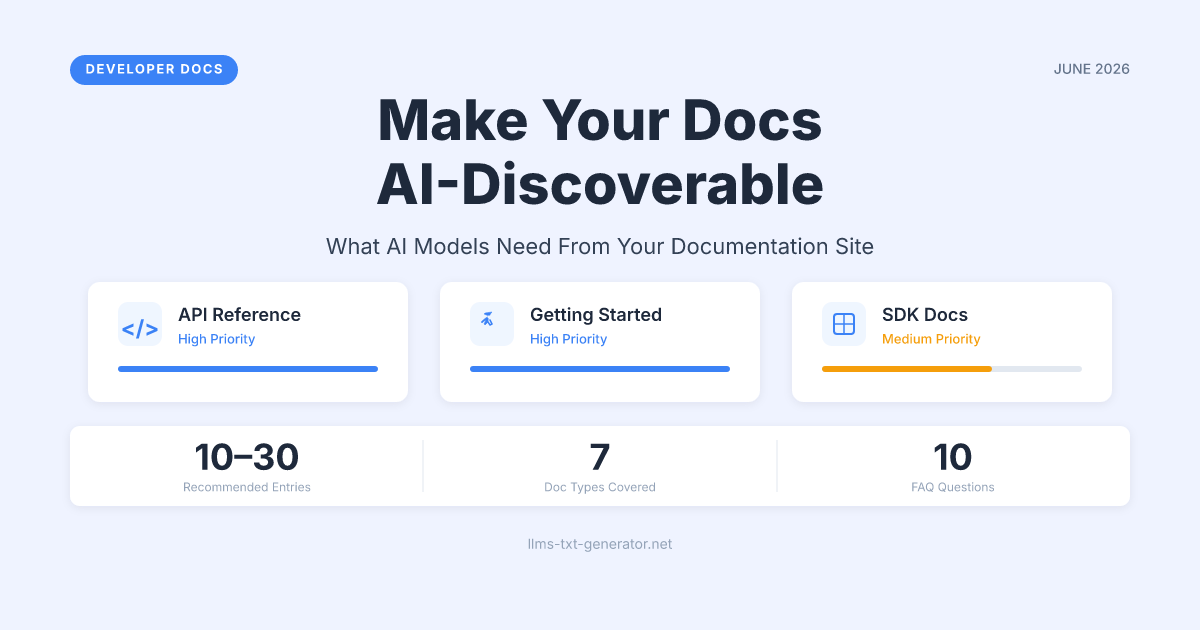
| Doc Type | What to Include | Priority Level | Update Frequency |
|---|---|---|---|
| API Reference | Main index page, authentication guide, rate limits | High | Every API version change |
| Getting Started | Quickstart, installation, first request | High | When onboarding flow changes |
| Conceptual Guides | Top 5–10 concept pages by traffic or importance | Medium | When core concepts change |
| Tutorials | Most popular use‑case tutorials | Medium | When tutorials are added or retired |
| SDK Docs | One entry per language/platform | Medium | On major SDK releases |
| Changelog | Latest changelog page only | Low | Keep pointing to latest |
| Migration Guides | Current migration path only | Low | On major version releases |
API‑heavy products should weight their llms.txt toward the reference index and authentication docs. Tutorial‑heavy products (like developer tools or frameworks) should prioritize concept pages and getting‑started guides.
If your docs cover both API references and long‑form guides, consider using llms-full.txt for the expanded version. Read more about when you need llms.txt vs llms‑full.txt.
A Complete llms.txt Example for a Documentation Site
Here's what a real llms.txt looks like for a hypothetical developer tool called "PayAPI" — a payment processing API with SDKs in multiple languages:
# PayAPI Documentation

> PayAPI is a payment processing platform for developers.
> Accept payments, manage subscriptions, and handle invoices
> through a single REST API.

## Getting Started

- [Quickstart Guide](https://docs.payapi.dev/quickstart): Set up your first payment in under 10 minutes
- [Authentication](https://docs.payapi.dev/auth): API keys, OAuth 2.0, and webhook verification
- [Error Handling](https://docs.payapi.dev/errors): Error codes, retry logic, and idempotency

## API Reference

- [REST API Reference](https://docs.payapi.dev/api): Complete endpoint documentation for v4
- [Webhooks](https://docs.payapi.dev/webhooks): Event types, payload formats, and delivery guarantees
- [Rate Limits](https://docs.payapi.dev/rate-limits): Request quotas and throttling behavior

## Core Concepts

- [Payments](https://docs.payapi.dev/concepts/payments): Payment intents, captures, and refunds
- [Subscriptions](https://docs.payapi.dev/concepts/subscriptions): Recurring billing, trials, and proration
- [Invoices](https://docs.payapi.dev/concepts/invoices): Invoice lifecycle and customization

## SDKs

- [Node.js SDK](https://docs.payapi.dev/sdks/node): npm package and TypeScript types
- [Python SDK](https://docs.payapi.dev/sdks/python): pip package with async support
- [Ruby SDK](https://docs.payapi.dev/sdks/ruby): Gem with Rails integration

## Migration

- [v3 to v4 Migration Guide](https://docs.payapi.dev/migration/v3-to-v4): Breaking changes and upgrade steps

## Changelog

- [Release Notes](https://docs.payapi.dev/changelog): Latest updates and version history
Notice the pattern: every entry has a one‑line description. This isn't optional. Without descriptions, the AI model has to guess what each page contains based on the URL alone.
Mistakes That Make Your Documentation llms.txt Useless
Most documentation teams that create an llms.txt file make the same handful of mistakes. These are the ones to watch for:
Listing Every Single Page
If your llms.txt has 200+ entries, you've turned it into a sitemap. The whole point is curation. AI models perform better when given 10–30 high‑quality entry points than when overwhelmed with every page on your site. Follow the best practices for structuring your file.
Missing Page Descriptions
A bare URL tells the model nothing. Every link in your llms.txt needs a short description of what that page covers. One sentence per entry is enough.
Including Deprecated Documentation
If your v2 API docs still live at /docs/v2/, don't include them. An AI model can't tell the difference between your current and deprecated docs unless you make the distinction explicit.
Forgetting Version Context
Your llms.txt should state which version of your product the docs cover. Add a line like "Documentation for PayAPI v4 (current)" in your product summary. This prevents models from mixing version‑specific information.
Never Updating the File
Creating an llms.txt and forgetting about it is worse than not having one. When your docs add new sections or deprecate old ones, the file needs to reflect that.
Keeping Your llms.txt in Sync as Docs Grow
Documentation sites change constantly. New features get documented, old endpoints get deprecated, and entire sections get reorganized. Your llms.txt needs to keep up.
The best approach depends on your docs platform:
- Static site generators (Docusaurus, MkDocs, Hugo): Generate your
llms.txtduring the build step. Pull from your sidebar navigation config or a dedicated manifest file. - Hosted platforms (GitBook, ReadMe, Mintlify): Check if the platform supports
llms.txtnatively. If not, maintain the file manually and review it on each major release. - Custom doc sites: Add
llms.txtgeneration to your CI/CD pipeline. Use your docs navigation structure as the source of truth.
Review cadence matters. At minimum, update your llms.txt whenever you ship a major version, add a new section to your docs, or deprecate a feature. If you want to automate this entirely, you can generate your free llms.txt file and use it as a starting point.
Conclusion
Documentation sites are the strongest use case for llms.txt. Your docs are already structured, already technical, and already the source AI models cite when answering questions about your product. A well‑crafted llms.txt file ensures those models cite the right pages — current docs, correct versions, and the entry points that actually help users.
Start by listing your quickstart guide, API reference, and top concept pages. Add descriptions to every entry. Skip deprecated content. Review the file on every major release.
Ready to create yours? Generate your free llms.txt file and have a working version in minutes.
Frequently Asked Questions
How many pages should I include in my documentation site's llms.txt?
Aim for 10–30 entries. Include your main entry points — quickstart, API reference index, core concepts, and SDKs. Don't list every individual page. The goal is curation, not completeness.
Should I include versioned documentation in my llms.txt?
Only include your current version's documentation. If you maintain docs for v3 and v4, list only v4 pages. Add a version note in your product summary so AI models know which version they're referencing.
Do I need a separate llms.txt and llms-full.txt for my docs site?
If your documentation is extensive — more than 50 key pages — yes. Use llms.txt for the essential entry points and llms-full.txt for the expanded reference. Most small to mid‑size doc sites only need llms.txt.
How often should I update my documentation site's llms.txt?
Update it whenever you add a new documentation section, deprecate a feature, or release a major version. For active products, that typically means monthly or quarterly at minimum. Automate it through your docs build pipeline if possible.
Where should the llms.txt file live on my documentation site?
At the root of your docs domain: https://docs.yourproduct.com/llms.txt. If your docs live at a subpath like yourproduct.com/docs/, place it at yourproduct.com/llms.txt (the main domain root), not inside the docs folder.
Should I include my changelog in llms.txt?
Yes, but only link to the changelog index page — not individual release entries. This gives AI models a way to check what's current without cluttering your file with every past release.
Can I use llms.txt to prevent AI from citing deprecated docs?
Indirectly, yes. By only including current documentation in your llms.txt, you signal which pages are authoritative. Models that support llms.txt will prefer these pages over unlisted deprecated ones. Combine this with robots.txt rules to block crawling of deprecated sections entirely.
What if my documentation site uses multiple languages or locales?
List your primary language documentation in llms.txt. If you have substantial localized docs, you can include each language's main entry point with a language label in the description — for example, "API Reference (Japanese)" — but keep the file focused on your primary locale.
Does the documentation platform I use affect how I set up llms.txt?
The platform affects where and how you host the file, but the content structure stays the same. Static site generators like Docusaurus and MkDocs let you place llms.txt in your static assets folder. Hosted platforms like GitBook may require you to configure it through their settings or use a custom domain setup.
Should I include links to external API documentation like Swagger or Redoc?
If your Swagger or Redoc pages are the primary way developers access your API reference, include them. If they duplicate content already covered by your main docs, skip them. Avoid listing the same content twice under different URLs — it confuses AI models about which source is authoritative.