You've built your Astro site. Now you want to add an llms.txt file so AI crawlers from ChatGPT, Perplexity, and Claude can understand what you publish. The problem: most guides either assume plain static HTML or skip Astro entirely.
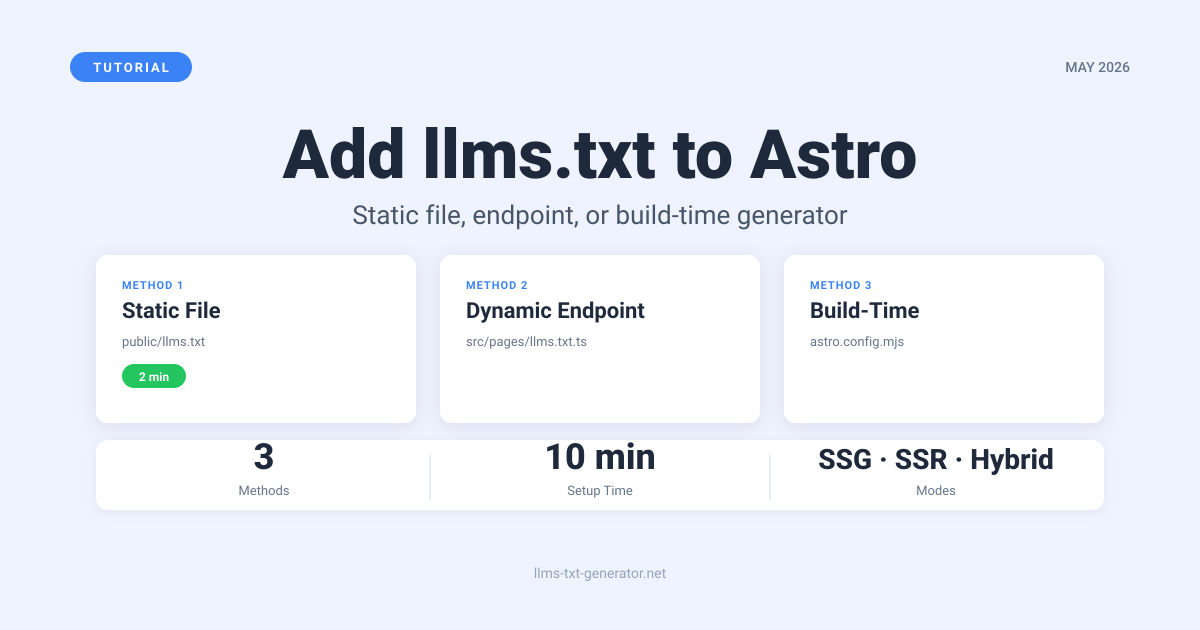
This guide covers three working methods for adding llms.txt to Astro: a static file in public/, a dynamic endpoint route in src/pages/, and a build‑time generated approach. You'll know which one fits your setup before you write a line of code.
After following this, your site will serve a valid llms.txt at yourdomain.com/llms.txt with the right content type — ready for AI crawlers to read.
Why Your Astro Site Needs llms.txt
AI search tools — ChatGPT, Perplexity, Claude, Google AI Overviews — use llms.txt files to understand what a site covers and which pages matter most. Without one, crawlers index what they find rather than what you want them to find. That often means the wrong pages show up in AI‑generated answers, or your site doesn't show up at all.
Astro sites don't have a plugin ecosystem to generate this file for you the way WordPress does. You add it yourself. The good news: it takes under 10 minutes. Which method you use depends on whether your site is fully static (SSG), server‑rendered (SSR), or hybrid.
Once you have the file in place, our llms.txt best practices guide covers what to put inside it for maximum AI discovery.
Three Methods: Which One Is Right for You?
| Method | Best for | Astro mode | Updates automatically? | Complexity |
|---|---|---|---|---|
1. Static file in public/ |
Stable content, small sites | SSG (default) | No — manual edits only | Very low |
| 2. Dynamic endpoint route | Frequently changing content | SSR or hybrid | Yes — regenerated per request | Low–Medium |
| 3. Build‑time generation | Content‑heavy sites, multiple data sources | SSG (static build) | Yes — regenerated on each build | Medium |
Method 1: Static File in public/
This is the right starting point for most Astro sites. Everything in the public/ directory is served directly at your root URL with no processing. A file at public/llms.txt becomes yourdomain.com/llms.txt automatically.
When to use it
Use this for portfolios, documentation sites with infrequent releases, or any site where content is stable enough that manually updating the file once a month is fine.
Steps
- Open (or create) the
public/directory in your Astro project root. - Create a file named
llms.txtdirectly inside it — not in any subdirectory. - Add your content. Use the free llms.txt generator to produce a properly formatted file from your URL.
- Deploy. The file is live at
yourdomain.com/llms.txtimmediately.
No configuration, no code changes, nothing to configure. Astro — and any standard static host like Netlify, Vercel, or Cloudflare Pages — serves .txt files with the correct text/plain content type automatically.
Files in public/ are copied to dist/ on every build. Your llms.txt won't be deleted or overwritten during builds unless you explicitly remove it from public/.
Method 2: Dynamic Endpoint Route
If your Astro site runs in SSR mode (with an adapter like Node.js, Vercel, or Cloudflare) or you want the file to reflect your latest content without a rebuild, create a dynamic endpoint instead.
Astro's file‑based routing means a file at src/pages/llms.txt.ts is served at /llms.txt. The .txt extension in the filename sets the content type.
Basic endpoint
// src/pages/llms.txt.ts
import type { APIRoute } from 'astro';

export const GET: APIRoute = async () => {
  const content = `# YourSite
> AI-readable index for yourdomain.com

## Documentation
- [Getting Started](/docs/getting-started): Introduction and setup
- [API Reference](/docs/api): Full API documentation

## Blog
- [Blog Index](/blog): All published articles

## About
- [About Us](/about): Company background and mission
`;

  return new Response(content, {
    headers: {
      'Content-Type': 'text/plain; charset=utf-8',
    },
  });
};
For static builds, add export const prerender = true; at the top — Astro generates the file at build time. For SSR builds with an adapter, omit it and the route is server‑rendered on each request.
Pulling from content collections
If you use Astro's content collections, you can build the file dynamically from your actual entries. This is the most useful version for content‑heavy sites — the file regenerates automatically on every build with no manual updates:
// src/pages/llms.txt.ts
import type { APIRoute } from 'astro';
import { getCollection } from 'astro:content';

export const prerender = true;

export const GET: APIRoute = async () => {
  const posts = await getCollection('blog');

  const entries = posts
    .sort((a, b) => b.data.pubDate.getTime() - a.data.pubDate.getTime())
    .map(post => `- [${post.data.title}](/blog/${post.slug}): ${post.data.description}`)
    .join('\n');

  const content = `# YourSite
> AI-readable index for yourdomain.com

## Blog Posts
${entries}
`;

  return new Response(content, {
    headers: {
      'Content-Type': 'text/plain; charset=utf-8',
    },
  });
};
Every time you publish a post and deploy, llms.txt updates itself.
Method 3: Build-Time Generation via Astro Integration
For sites pulling from multiple data sources — a CMS, external APIs, and content collections all at once — you can write a lightweight Astro integration that generates llms.txt during the build process as a build hook:
// astro.config.mjs
import { defineConfig } from 'astro/config';

function llmsTxtIntegration() {
  return {
    name: 'llms-txt-generator',
    hooks: {
      'astro:build:done': async ({ dir }) => {
        const { writeFile } = await import('node:fs/promises');

        const content = `# YourSite
> Autogenerated at build time for yourdomain.com

## Pages
- [Home](/): Main landing page
- [Docs](/docs): Documentation hub
- [Blog](/blog): Articles and guides
- [Contact](/contact): Get in touch
`;

        await writeFile(
          new URL('llms.txt', dir),
          content,
          'utf-8'
        );
      },
    },
  };
}

export default defineConfig({
  integrations: [llmsTxtIntegration()],
});
This keeps llms.txt out of version control (generated into dist/ at build time) and lets you pull from any data source your build process can access.
Which Method to Use
- Small static site with stable content? Method 1. Done in 2 minutes, zero code.
- SSR or hybrid Astro site? Method 2. The file stays current between deploys.
- Content‑heavy site with content collections? Method 2 with the collections variant — it tracks your latest posts automatically.
- Multiple CMS or data sources? Method 3 for full control over what's included.
When in doubt, start with Method 1. A static file updated once a month beats a dynamic one you never get around to setting up. You can always migrate later.
What to Put in Your Astro Site's llms.txt
The content matters as much as having the file. A well‑structured llms.txt tells AI tools which pages matter and how your site is organized — directly shaping how they represent you in answers.
- A title line starting with
#and your site or organization name - A blockquote with a one‑sentence description of what the site covers
- Grouped sections using
##headings for major content areas (docs, blog, products, about) - Markdown links for each important page, with a short description of what it covers
- A link to
llms-full.txtif you maintain a detailed version — see our llms.txt vs llms-full.txt guide for when the full version is worth the effort
Use the free llms.txt generator to create a properly formatted file from your URL. Drop the output directly into any of the three methods above.
Verifying Your llms.txt Works
After deploying, run three quick checks:
- Direct URL: Visit
yourdomain.com/llms.txt. It should render as plain text — not trigger a download, not show an HTML wrapper, not return a 404. - Content type: Run
curl -I https://yourdomain.com/llms.txt. Look forContent-Type: text/plainin the response headers. - Format check: Paste your file contents into the llms.txt generator to validate the syntax. Common issues: missing blockquote on the description line, or section headers that don't use standard markdown.
If a static file isn't appearing, double‑check it's directly in public/ — not inside src/, not inside dist/, not in a subdirectory. Redeploy and check again.
For a deeper check — including whether AI crawlers have actually visited the file — see how to verify your llms.txt is being crawled by AI.
Conclusion
Adding llms.txt to an Astro site takes under 10 minutes with the static file method and under 20 with a dynamic endpoint. The right choice depends on how often your content changes — static file for stable sites, endpoint route for sites that update frequently.
Start with the free llms.txt generator: paste your URL, get a formatted file, drop it in public/, deploy. That's it.
Frequently Asked Questions
Does Astro automatically set the right content type for llms.txt?
Yes. Astro and any standard static host (Netlify, Vercel, Cloudflare Pages) serve files in public/ using content types based on file extension. A .txt file gets text/plain automatically — no configuration needed.
Will my static llms.txt survive Astro builds?
Yes. Files in public/ are copied to dist/ on every build. Your llms.txt won't be deleted or overwritten during builds unless you explicitly remove it from public/.
Can I use a .md file in src/pages/ to create llms.txt?
No. Astro processes .md files in src/pages/ as HTML pages, not plain text. For a code‑driven approach, use a .ts or .js endpoint (Method 2). For a static file, place it directly in public/ (Method 1).
Do I need an SSR adapter for the dynamic endpoint method?
Only if you want the route server‑rendered on each request. For static builds, add export const prerender = true; to the endpoint file — no adapter required, and the file is generated at build time like any other static asset.
Should I commit llms.txt to version control?
For Method 1 (static file in public/), yes — commit it like any other static asset. For Method 3 (build‑time integration), the file is generated into dist/, which most .gitignore files already exclude. For Method 2 (endpoint), there's no file to commit — it's produced from code at build time or per request.
How often should I update my Astro site's llms.txt?
Update it when you add major content sections or remove significant pages. Methods 2 and 3 handle this automatically on each build. With Method 1, a monthly review is usually enough — or update it after any significant site restructure.
Will adding llms.txt slow down my site?
No. A static llms.txt is typically under 5KB and adds nothing to page load times. A dynamic endpoint only executes when an AI crawler requests /llms.txt — rare compared to regular visitor traffic.
Can I have both llms.txt and llms-full.txt on my Astro site?
Yes. Create two files: public/llms.txt for the summary index and public/llms-full.txt for the complete version. Reference llms-full.txt from within llms.txt using a standard markdown link. See our llms.txt vs llms-full.txt guide for when the full version is actually worth maintaining.
Does the dynamic endpoint work with Astro's island architecture?
Yes. The llms.txt endpoint is a server‑side route with no client‑side JavaScript. Astro's island architecture only applies to interactive UI components — an endpoint in src/pages/llms.txt.ts runs entirely on the server or at build time, unaffected by hydration or islands.
How does this compare to adding llms.txt to Next.js?
The approach is structurally similar. In Next.js, you'd use the public/ directory (identical to Astro Method 1) or a route.ts file in the App Router (equivalent to Astro Method 2). The syntax differs — Astro uses APIRoute with export const GET, Next.js uses NextResponse — but the outcome is the same: a plain text file at /llms.txt. See the Next.js guide for exact syntax.