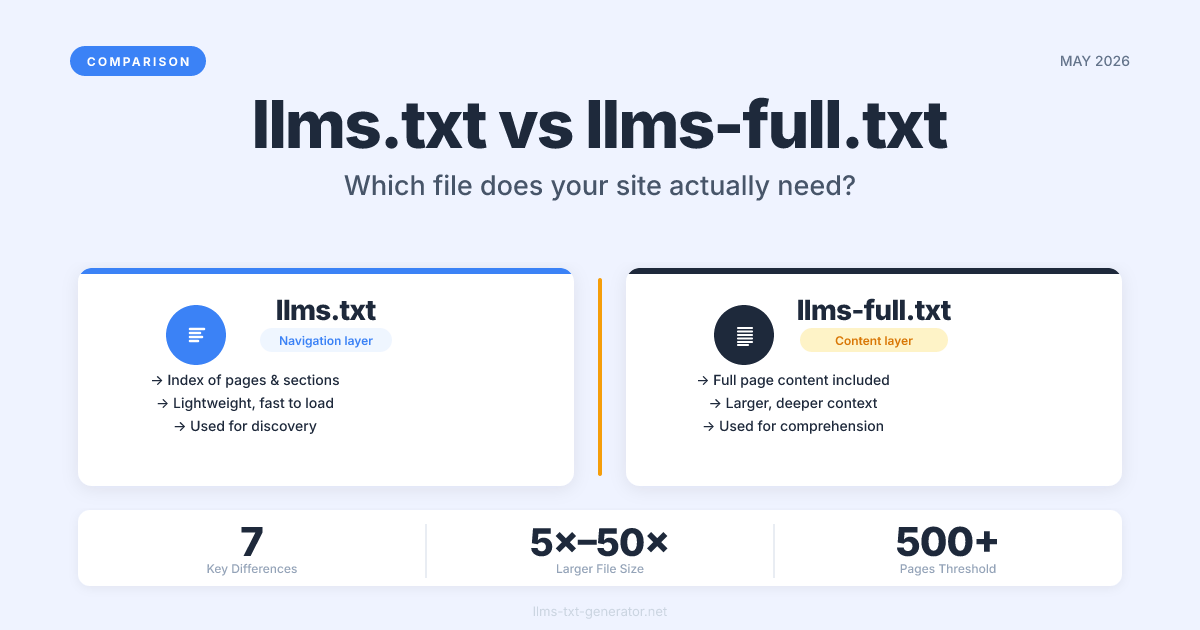
Most guides tell you to add llms.txt to your site and call it done. Few explain that there's a companion file — llms-full.txt — that serves a fundamentally different purpose. If you only implement one when your site genuinely needs both, AI systems get an incomplete picture of what you offer.
The difference is not technical complexity. It's about depth versus navigation. One gives AI crawlers a structured map of your site; the other gives them the full content. Getting this right is the difference between a minimal setup and a comprehensive one.
By the end of this guide, you'll know exactly what each file does, when each one is sufficient on its own, and when your site genuinely needs both.
What Is llms.txt?
llms.txt is a plain-text file placed at your site's root (yourdomain.com/llms.txt) that gives AI systems a structured, concise summary of your site's content and purpose.
Think of it as a table of contents for AI. It uses Markdown formatting and typically includes:
A short description of your site and its purpose
Links to your most important pages and content sections
Optional metadata about your organization and content type
Contextual notes to help AI understand how content is organized
llms.txt is designed to be concise and navigational — it tells AI systems what exists on your site and where to find it, without including the full content of every page. If you're new to the concept, our guide on what llms.txt is and why your website needs one covers the fundamentals.
What Is llms-full.txt?
llms-full.txt is the companion file that contains the actual content of your site — full page text, documentation, articles, product descriptions — rather than just links and summaries.
Where llms.txt is a map, llms-full.txt is the territory. It's intended for AI systems that need to deeply understand your content to answer questions, generate summaries, or use your material as source documentation.
Key characteristics of llms-full.txt:
Contains the full text of your most important pages — not just links to them
Can be significantly larger — typically 5× to 50× the size of
llms.txtFollows the same Markdown formatting conventions as
llms.txtIs optional — not every site needs it
Is most valuable for documentation sites, knowledge bases, and content-heavy resources
The Key Differences: Side-by-Side
Here's how the two files compare across every dimension that matters:
Feature |
|
|
|---|---|---|
Purpose | Navigation — what exists and where | Comprehension — what the content actually says |
Content | Links, descriptions, brief summaries | Full page text and documentation |
Typical file size | 1–20 KB | 50 KB – several MB |
Required by standard | Yes — the minimum | No — optional enhancement |
Best for | All websites | Documentation, knowledge bases, content sites |
Primary AI use case | Discovery and navigation | Deep comprehension and accurate Q&A |
Update trigger | When site structure changes | When content changes |
The short version: llms.txt tells an AI system what your site covers. llms-full.txt tells it everything your site says. Both can be valuable — but they serve different moments in an AI's interaction with your content.
When llms.txt Is Enough on Its Own
For the majority of websites, llms.txt alone is the right answer. You don't need llms-full.txt if:
Your site is primarily transactional. E-commerce stores, SaaS landing pages, and booking sites need AI to understand what they offer and where to find it — not the full text of every product description.
Your content is already well-indexed. If your articles are in Google's index and regularly scraped by AI crawlers anyway,
llms.txtprovides the navigation layer without redundancy.Your content volume is small. A portfolio site, a personal blog, or a small business with fewer than 50 key pages doesn't need a multi-megabyte full-content file to get meaningful AI visibility.
You're just starting out. Get
llms.txtright first. Addllms-full.txtonce you've validated that AI tools are discovering your content through the standard file.
The vast majority of sites — especially those under 500 pages — can achieve strong AI discoverability with a well-structured llms.txt and no companion file.
When You Should Add llms-full.txt
llms-full.txt becomes genuinely valuable in specific contexts. Consider adding it when:
You run a documentation site. Developers using AI assistants to understand your API or SDK need the full content — not just links to it. Documentation portals and technical references are the primary use case the standard was designed for.
You have a deep knowledge base. If your site is the authoritative resource on a topic and you want AI systems to surface your content accurately, providing the full text removes the risk of AI paraphrasing you incorrectly.
Your content is hard to crawl. If pages require login, are dynamically rendered, or are behind a paywall,
llms-full.txtlets you syndicate content intentionally — on your terms.You want accurate AI Q&A about your content. Tools like Perplexity, ChatGPT, and Claude can pull from
llms-full.txtwhen constructing answers — giving you more control over how your content is represented in AI responses.
A useful rule of thumb: if you'd want a knowledgeable assistant to have read your entire site before answering questions about it, llms-full.txt is worth implementing.
How to Create and Deploy Both Files
Creating both files is additive work — you're not starting over, you're building on what's already there.
Step 1 — Create Your llms.txt First
Use the free llms.txt generator to produce a correctly formatted navigation file. This is your foundation — get it right before adding llms-full.txt. The generator handles the Markdown structure, section ordering, and key fields so you're not starting from scratch.
Step 2 — Decide What Content Belongs in llms-full.txt
Not everything needs to go in. Focus on content where accuracy and completeness matter:
Your most important documentation pages
Core blog posts or articles that define your expertise
Product or service descriptions that AI needs to represent accurately
Any content that is dynamically rendered or not well-indexed by search crawlers
Skip: boilerplate pages, legal documents, thin pages, and anything that adds noise without value.
Step 3 — Format and Deploy
llms-full.txt uses the same Markdown format as llms.txt. Organize it with clear headings for each section and include the full text of each selected page. Deploy it at yourdomain.com/llms-full.txt.
Both files should be served as text/plain with UTF-8 encoding. Confirm neither file is blocked in your robots.txt. To maximize discovery, reference llms-full.txt from within your llms.txt header.
Common Mistakes to Avoid
A few pitfalls that appear regularly when sites implement both files:
Duplicating content across both files.
llms.txtshould be the map;llms-full.txtshould be the territory. Don't copy summaries fromllms.txtintollms-full.txtalongside full content — it creates redundancy that adds no value.Letting
llms-full.txtgo stale. If your content changes and the file doesn't, AI systems may serve outdated information about you. Treat it like a sitemap — update it when content changes.Blocking both files in
robots.txt. These files exist to be read by AI crawlers. Blocking them means you've done the work for no benefit.Making
llms-full.txttoo large. Files over 10 MB may not be fully processed by all AI systems. Prioritize quality and relevance over trying to include every page.
For a deeper look at quality standards that apply to both files, the llms.txt best practices guide covers the rules that matter most.
Which AI Crawlers Support Both Files?
Support for llms-full.txt follows the same patterns as llms.txt — crawlers that respect the standard will recognize the companion file convention.
AI System | Reads | Reads | Notes |
|---|---|---|---|
Perplexity | Yes | Yes (when linked) | Most active llms.txt consumer in 2026 |
ChatGPT / OpenAI | Yes (via browsing) | Partial | Reads files found through crawl |
Claude / Anthropic | Yes (via browsing) | Partial | Reads when URL is explicitly referenced |
Google AI Overviews | Partial | Not confirmed | Primarily uses standard web index |
For the most current data on which systems read these files, see our complete guide to which AI crawlers read llms.txt.
Conclusion
Most sites need llms.txt. Fewer sites need llms-full.txt — but when you do, it makes a real difference. Start with a well-structured llms.txt, validate that AI systems are discovering your content, and add llms-full.txt once you have a documentation-heavy or content-rich use case that warrants it. Don't over-engineer before you've confirmed the basics work.
Ready to start with the foundation? Generate your free llms.txt file in under two minutes — no account required.
Frequently Asked Questions
Does every website need both llms.txt and llms-full.txt?
llms.txt is the standard minimum that works for most sites. llms-full.txt is optional and is most valuable for documentation sites, knowledge bases, and content-heavy resources where AI systems need full text to answer questions accurately. If your site has fewer than 50 important pages, llms.txt alone is likely sufficient.
Where should I place llms-full.txt on my site?
Place it at your domain root: yourdomain.com/llms-full.txt. This mirrors llms.txt at yourdomain.com/llms.txt. Both files should be publicly accessible and not blocked by robots.txt. Referencing llms-full.txt in your llms.txt header helps AI crawlers discover it.
How large can llms-full.txt be?
There's no hard limit in the standard. In practice, files under 5 MB are processed reliably by most AI systems. Files over 10 MB risk being partially skipped. Focus on including your most valuable, accurate content rather than compressing your entire site into one file.
Does llms-full.txt replace llms.txt?
No — they serve different purposes. llms.txt is the navigation file that tells AI systems what exists and where. llms-full.txt is the content file with the full detail. AI systems use both: the navigation file to find what they need, and the full-content file to understand it deeply. Both should be present when you implement the complete standard.
Will adding llms-full.txt improve my AI search visibility?
Indirectly, yes. Providing AI systems with accurate, complete content reduces the chance they'll misrepresent your site or fill information gaps incorrectly. Sites with comprehensive llms-full.txt files are more likely to be cited accurately when AI systems answer questions in their topic area — particularly on Perplexity and similar AI search tools.
Do I need to update llms-full.txt when I publish new content?
Yes. Unlike llms.txt, which primarily changes when your site structure changes, llms-full.txt should be updated whenever the content it covers is revised or new high-value content is published. Many teams automate this in their deployment pipeline so the file stays in sync automatically.
Can the llms.txt generator help me create llms-full.txt?
Our llms.txt generator creates well-structured navigation files. For llms-full.txt, you'll build it by aggregating your actual page content — the generator gives you the correct Markdown formatting and structural conventions to follow for both files.
Is llms-full.txt part of the official llms.txt specification?
Yes. Both files are defined in the original llms.txt specification published by Answer.AI. llms-full.txt was included from the start as the optional full-content companion to the required navigation file. The convention is widely recognized by AI crawlers that follow the standard.
What format should llms-full.txt use?
The same Markdown format as llms.txt. Use heading levels to organize content by section, include full page text for each section you're syndicating, and encode the file as UTF-8 plain text. AI systems parse the Markdown structure to understand the hierarchy and relationships between your content sections.
Should I link to llms-full.txt from my llms.txt file?
Yes — referencing llms-full.txt from your llms.txt header is best practice. It helps AI crawlers that read the navigation file know the full-content version exists, which improves discovery — especially for systems that prioritize following links within the files they read.