The gap between a llms.txt file that shapes AI responses and one that gets quietly ignored comes down to a single pipeline stage that most guides never mention: link resolution. Creating the file is step one. What happens after an AI crawler fetches it determines whether your content ends up in AI‑generated answers—or not.
Most site owners treat llms.txt as a declaration: "Here's what my site is about." But AI systems treat it as an instruction set: "Here's what to fetch next." That distinction changes everything about how you should structure the file and what you should put in it.
This post covers the complete AI processing pipeline for llms.txt—from the initial HTTP request to the point where your content appears (or doesn't) in AI responses. Where behavior has been publicly documented by AI companies, we cite it. Where it's inferred from the specification, we say so.
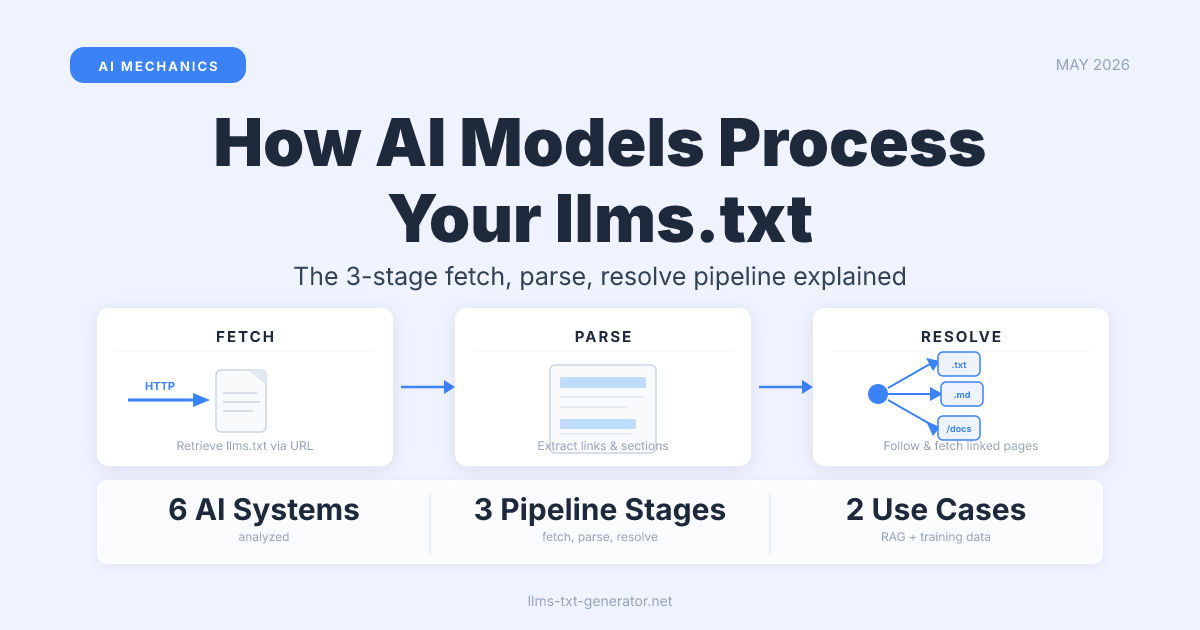
The Three‑Stage Pipeline: Fetch, Parse, Resolve
When an AI crawler processes your llms.txt, it runs through three distinct stages. Each stage has its own requirements, and failure at any stage means the file has no effect—even if it's perfectly formatted.
- Fetch: The crawler sends an HTTP GET request to
/llms.txtat your domain root. The file must be accessible and return a200 OKresponse. - Parse: The Markdown content is read and structured into sections, descriptions, and links.
- Resolve: The links in the file are followed. The pages they point to are fetched and processed—this is where your content actually enters the AI's context.
The third stage is what most site owners don't anticipate. Your llms.txt file is not the content AI models use—it's an index pointing to the content they will fetch. That's a fundamental difference from how robots.txt or sitemap.xml work, both of which describe what exists rather than directing what should be retrieved.
Stage 1: The Fetch
AI crawlers look for your llms.txt file at a fixed location: https://yourdomain.com/llms.txt. There is no discovery mechanism—crawlers either request it proactively or they don't. The file must satisfy several conditions to be processed:
- Return
HTTP 200 OK(redirects are followed, but each redirect adds latency and potential drop‑off) - Be publicly accessible without authentication or login requirements
- Not be blocked by
robots.txtfor the specific crawler's user agent - Respond within a reasonable timeout (typically under 5 seconds)
- Be served with a text content type (
text/plainortext/markdownare both acceptable)
Not all AI crawlers read llms.txt—and even among those that do, crawl schedules vary significantly. Some systems fetch it on every visit to your domain; others run a periodic cycle independent of regular page crawling. A well‑maintained llms.txt that rarely gets visited has limited value. Sites with low organic traffic tend to be crawled less frequently by AI systems.
One documented pattern from early llms.txt adopters: crawlers often fetch llms.txt shortly after fetching the homepage, not as a standalone operation. If your homepage is rarely crawled, your llms.txt likely shares that crawl frequency.
Stage 2: Parsing the Markdown Structure
The llms.txt specification defines a strict subset of Markdown. AI parsers don't interpret free‑form prose—they look for a specific document structure:
- An
H1title line (# Your Site Name) - An optional blockquote description immediately after the title
H2section headings that categorize the links beneath them- Markdown links (
[Link Text](URL)) optionally followed by a colon and a plain‑text description
The parser extracts three pieces of structured data from each link: the section it belongs to, the URL, and the description. These are the only signals the AI system has about your content before it fetches a single page. Section names and link descriptions carry more weight than most llms.txt authors realize—they're the metadata that determines whether a link gets selected in a query‑relevant context.
Malformed files—those using non‑standard heading levels, raw URLs instead of Markdown links, or inconsistent structure—may parse partially or produce no useful output. The parser doesn't return a visible error; it simply extracts what it can and discards the rest. A file that validates in a linter may still yield almost no structured data to an AI parser if the content structure is off.
The companion file, llms-full.txt, works differently: instead of a link index, it contains the full text of your key pages inline. Some AI systems use llms-full.txt to ingest your content without following individual links. If you maintain a current llms-full.txt, you can short‑circuit Stage 3 entirely for those systems. For more on when each file is the better choice, see our guide to llms.txt vs llms‑full.txt.
Stage 3: Link Resolution (The Critical Stage)
After parsing your llms.txt, an AI system has a structured list of links. Now comes the decision: which of those links to actually fetch, and in what order. AI systems do not follow every link in your llms.txt file.
Several factors determine which links get resolved:
- Query relevance: For RAG‑based systems augmenting real‑time responses with web content, each link is scored against the user's query. Links with descriptive text that matches query terms are far more likely to be selected.
- Section placement: Links in sections near the top of the file may be treated as higher priority. The specification doesn't define explicit ordering rules, but parse order maps to retrieval order in most implementations.
- Page crawlability: Links pointing to pages blocked by
robots.txt, behind login walls, or returning errors are skipped silently. - Content freshness: For training‑focused crawlers, recently updated pages may be prioritized over static archive content.
- Crawl budget: No crawler fetches unlimited pages. Your llms.txt list competes with the full queue of pages the crawler wants to visit. A smaller, curated list wins more of that budget than an exhaustive one.
What happens after a link is followed depends on the AI system's purpose. A RAG pipeline chunks the fetched content and adds it to retrieval context for the current query. A training data pipeline stores the content for the next model training run. An AI search index uses it to update its knowledge graph. The same llms.txt file serves entirely different functions in different AI systems—sometimes simultaneously, via different crawlers running in parallel.
How the Top AI Systems Handle Your File
Documented behavior varies significantly by platform. The following table summarizes what's publicly known as of 2026, based on official documentation, confirmed crawler behavior, and server log analysis from the llms.txt community:
| AI Platform | Crawler | Confirmed Support | Primary Use | Link‑Following |
|---|---|---|---|---|
| Perplexity | PerplexityBot |
Yes — publicly documented | Real‑time RAG for search answers | Actively follows listed links; content appears as cited sources |
| Anthropic (Claude) | ClaudeBot |
Yes — confirmed by Anthropic | Training data + Claude web search | Follows links; respects llms.txt in Claude.ai operator context |
| OpenAI | GPTBot, OAI‑SearchBot |
Yes — observed in server logs | Training data + ChatGPT web search | Two separate crawlers: one for training, one for real‑time search |
Google-Other / Googlebot (controlled via Google-Extended) |
Partial — training data confirmed | Training data; limited AI Overviews signal | Standard crawl; direct AI Overviews influence unconfirmed | |
| Meta AI | Meta‑ExternalAgent |
Unconfirmed | Training data | Unknown |
| Cohere | cohere‑ai |
Limited documentation | Enterprise RAG | Follows standard crawl rules |
The key takeaway: Perplexity and Anthropic have the strongest documented support for llms.txt as an active retrieval signal, while Google's current support is focused on training data collection. OpenAI's two‑crawler architecture means your llms.txt may influence ChatGPT's web search results and training data on separate timescales.
RAG vs. Training: Two Very Different Pipelines
Understanding the difference between RAG (Retrieval‑Augmented Generation) and training data collection is essential for setting realistic expectations about what your llms.txt actually does.
In a RAG pipeline: When a user asks a question, the AI system does a live web search, fetches pages from the results (guided partly by llms.txt signals), and uses that content as context for generating the answer. The effect is near real‑time—a well‑maintained llms.txt updated today may influence AI search results within hours or days, depending on crawl frequency.
In a training pipeline: The crawler visits your site periodically as part of a large‑scale data collection run. Your llms.txt identifies your highest‑quality pages for inclusion in the next training dataset. The effect here is long‑term—it influences the model's next training run, which may happen months after your file is crawled.
For most site owners, the RAG pipeline is where llms.txt has its fastest and most measurable impact. Perplexity's AI search is the clearest example: pages listed in a current llms.txt are more likely to appear as cited sources in relevant Perplexity answers. That's a direct, attributable outcome of the file—one you can verify by checking Perplexity answers for your target queries and seeing which pages are cited.
Why Your llms.txt Might Be Getting Ignored
A specification‑compliant llms.txt can still fail to influence AI outputs if any of the following conditions apply:
- Low crawl rate: AI crawlers mirror your domain's general crawl frequency. Low‑traffic sites are crawled infrequently, and your llms.txt updates won't surface quickly.
- Blocked crawlers: Some hosting setups, WAF configurations, or aggressive bot filters block AI crawlers silently—without any
robots.txtrules. Check your server access logs to confirm which user agents actually reach your/llms.txt. - Links pointing to blocked pages: llms.txt doesn't override
robots.txt. Links to disallowed pages are skipped. Verifying what crawlers can actually access on your site is an essential audit step. - Missing or generic descriptions: Links without descriptive text are less likely to be selected in query‑relevant RAG matching. Write link descriptions that include the topic, not just the page title.
- Stale links: Links returning 404s, redirect chains, or error responses reduce crawler trust in your file over time. Audit and clean your llms.txt after every significant site restructure.
- No
llms-full.txtcompanion: For AI systems that prefer inline content to avoid multi‑page crawl overhead, a missingllms-full.txtmay mean they rely on a slower fallback path—or skip your site entirely for time‑sensitive queries.
The diagnostic starting point is always your server access logs. Search for requests from PerplexityBot, ClaudeBot, GPTBot, and OAI‑SearchBot. If none appear, your llms.txt isn't being reached—and the crawl rate and blocking issues above are the first things to investigate.
What Gets AI to Actually Use Your Content
Four actions have the most leverage on how AI systems process your llms.txt, based on the pipeline mechanics described above:
- Write descriptive link text. Replace
[Product Docs](/docs)with something like[API reference and integration guides for developers](/docs). Specificity is what query‑matching algorithms need to make a selection. - Keep the file current. Remove dead links, update descriptions when page content changes, and update your
sitemap.xmlafter making changes to prompt faster recrawling across all systems. - Add
llms-full.txtfor your most important pages. Even a partialllms-full.txtcovering your top 10 pages gives AI systems an inline fallback path that skips the link‑resolution stage entirely. - Be selective, not exhaustive. A curated list of 20 high‑quality pages performs better than a list of 200 average ones. Crawl budget is finite; help AI systems spend it on your best content.
If you haven't set up your llms.txt file yet, generate your free llms.txt file—the generator handles specification‑compliant formatting and produces a file ready for all major AI crawlers.
Conclusion
Your llms.txt file works through three sequential stages: fetch, parse, and link resolution. Each stage is a potential drop‑off point, and most of them are invisible unless you actively look. The most commonly overlooked stage—link resolution—is also the one with the most direct impact on whether your content appears in AI responses.
The practical upshot: clean up your file structure, write descriptive link text, keep the URLs current, and monitor your server logs for crawler activity. These are the mechanics that matter. Generate your llms.txt file now and make sure your content is in the pipeline.
Frequently Asked Questions
Do all AI models read llms.txt, or only specific ones?
Not all AI systems support llms.txt. As of 2026, the platforms with the strongest confirmed support are Perplexity, Anthropic (ClaudeBot), and OpenAI (GPTBot and OAI‑SearchBot). Google's systems have partial support focused on training data. Many smaller platforms and enterprise RAG systems have limited or undocumented llms.txt behavior.
Is llms.txt required for AI crawlers to find my content?
No. AI crawlers can discover and index pages without an llms.txt file, using links, sitemaps, and external references. The file acts as a priority signal, not a prerequisite. Without it, your pages compete on the same basis as every other page on the web. With a well‑maintained file, your most important pages get preferential treatment in retrieval decisions.
How often do AI crawlers refresh my llms.txt file?
Refresh frequency isn't publicly standardized and varies by platform. Real‑time RAG systems like Perplexity tend to recrawl more frequently than training‑focused crawlers. High‑traffic sites may see refreshes within days; lower‑traffic sites may wait weeks or longer. Updating your sitemap.xml after changes can help signal crawlers to revisit sooner.
Does llms.txt override robots.txt?
No. If a page is disallowed in robots.txt for a specific crawler's user agent, that rule takes precedence over anything listed in llms.txt. Crawlers that respect robots.txt will skip pages your llms.txt links to if those pages are disallowed. Always verify that the pages you list are accessible to the crawlers you want to reach them.
What's the difference between how Perplexity and ChatGPT use llms.txt?
Perplexity uses llms.txt primarily in its real‑time RAG pipeline: when a user asks a question, Perplexity actively fetches and cites pages from your file that match the query. ChatGPT uses two crawlers—GPTBot for training data and OAI‑SearchBot for real‑time web search. Both pipelines can be influenced by your llms.txt, but they operate on different timescales: search results update quickly; training data effects lag by months.
Should I include every page on my site in llms.txt?
No. Over‑indexing dilutes the signal and wastes crawl budget. Focus on your most authoritative, highest‑quality pages—key landing pages, primary documentation, and cornerstone content. Most effective llms.txt files contain between 10 and 50 links. More than that, and you're likely including pages that don't add value to AI retrieval decisions.
Does llms.txt affect Google AI Overviews?
This is one of the least documented areas. Google's crawlers (like Google-Other) fetch llms.txt files as part of their AI training data collection (unless opted out via the Google-Extended token in robots.txt), but Google has not confirmed that llms.txt directly influences AI Overview inclusion. Standard SEO quality signals—page authority, structured data, E‑E‑A‑T—remain the primary levers for Google AI Overviews.
Can I use llms.txt to block AI crawlers from certain pages?
No. llms.txt is a positive signal only—it tells crawlers what to prioritize, not what to avoid. To block AI crawlers from specific pages, use robots.txt with the appropriate user‑agent directives (PerplexityBot, GPTBot, ClaudeBot, etc.). The two files work together: robots.txt sets the crawl boundaries; llms.txt guides the crawl within boundaries.
What happens if my llms.txt has broken links?
Crawlers skip links that return errors (404, 403, redirect loops). A handful of broken links is not catastrophic, but a file with many broken links signals poor site maintenance and may reduce crawler confidence in the file over time. Audit your llms.txt links periodically—especially after site restructures or CMS migrations—and remove or update any that no longer resolve correctly.
How does llms-full.txt change the processing pipeline?
llms-full.txt contains the full text of your key pages inline, formatted in Markdown. AI systems that support it can read all your content in a single fetch instead of following individual links. This is especially useful for systems that want to minimize crawl overhead, and for sites where pages may have access restrictions that the consolidated file bypasses. For a full breakdown of when each file is the better choice, see our guide to llms.txt vs llms‑full.txt.